关于kaptcha的使用问题!
<?xml version="1.0" encoding="UTF-8"?>
<web-app xmlns="http://xmlns.jcp.org/xml/ns/javaee"
         xmlns:xsi="http://www.w3.org/2001/XMLSchema-instance"
         xsi:schemaLocation="http://xmlns.jcp.org/xml/ns/javaee http://xmlns.jcp.org/xml/ns/javaee/web-app_4_0.xsd"
         version="4.0">
    <servlet>
        <servlet-name>InitServlet</servlet-name>
        <servlet-class>com.imooc.servlet.InitServlet</servlet-class>
    </servlet>
    <servlet-mapping>
        <servlet-name>InitServlet</servlet-name>
        <url-pattern>/index</url-pattern>
    </servlet-mapping>

    <jsp-config>
        <jsp-property-group>
            <url-pattern>*.jsp</url-pattern>
            <include-prelude>/jsp/common.jsp</include-prelude>
        </jsp-property-group>
    </jsp-config>


    <servlet>
        <servlet-name>LoginServlet</servlet-name>
        <servlet-class>com.imooc.servlet.LoginServlet</servlet-class>
    </servlet>
    <servlet-mapping>
        <servlet-name>LoginServlet</servlet-name>
        <url-pattern>/LoginServlet</url-pattern>
    </servlet-mapping>
    <!--生成图片的servlet-->
    <servlet>
        <servlet-name>Kaptcha</servlet-name>
        <servlet-class>com.google.code.kaptcha.servlet.KaptchaServlet</servlet-class>
        <init-param>
            <param-name>kaptcha.image.width</param-name>
            <param-value>200</param-value>
        </init-param>
        <init-param>
            <param-name>kaptcha.image.height</param-name>
            <param-value>50</param-value>
        </init-param>
        <init-param>
            <param-name>kaptcha.textproducer.char.length</param-name>
            <param-value>4</param-value>
        </init-param>
        <init-param>
            <param-name>kaptcha.noise.impl</param-name>
            <param-value>com.google.code.kaptcha.impl.NoNoise</param-value>
        </init-param>
    </servlet>
    <servlet-mapping>
        <servlet-name>Kaptcha</servlet-name>
        <url-pattern>/kaptcha.jpg</url-pattern>
    </servlet-mapping>
</web-app>
<%@ page contentType="text/html;charset=UTF-8" language="java" %>
<!DOCTYPE html>
<html>
<head>
<base href="<%=basePath%>">
<meta http-equiv="Content-Type" content="text/html; charset=utf-8">
<title>登录页面</title>
<style type="text/css">
.code
{
font-family:Arial;
font-style:italic;
color:blue;
font-size:20px;
border:0;
padding:2px 3px;
letter-spacing:3px;
font-weight:bolder;
float:left;
cursor:pointer;
height:20px;
line-height:20px;
text-align:center;
vertical-align:middle;
}
a
{
text-decoration:none;
font-size:12px;
color:#288bc4;
}
a:hover
{
text-decoration:underline;
}
</style>
</head>
<body>
<center>
<h1>用户登录</h1>
<form action="<%=basePath%>/LoginServlet" method="post" onsubmit="return validateCode()">
<table width="300px" cellspacing="0px" cellpadding="0px" border="1px">
<tr>
<td>用户名</td>
<td colspan="2"><input type="text" name="username" placeholder="用户名为3-12位字母数字或下划线组合"></td>
</tr>
<tr>
<td>密 码</td>
<td colspan="2"><input type="password" name="password" placeholder="长度为5-12位字母数字或下划线组合" ></td>
</tr>
<tr>
<td>验证码</td>
<td style="border-right-style:none;">
<form action="submit.action">
<input type="text" name="checkCode" placeholder="请输入验证码" id="inputCode">
<img src="${basePath}/kaptcha.jpg" />
</form>
</td>
<td style="border-left-style:none;"><div class="code" id="checkCode" ></div></td>
</tr>
<tr>
<td colspan="3" style="text-align:center">
<input type="submit" value="登录">
<input type="reset" value="取消">
</td>
</tr>
</table>
</form>
</center>
</body>
</html>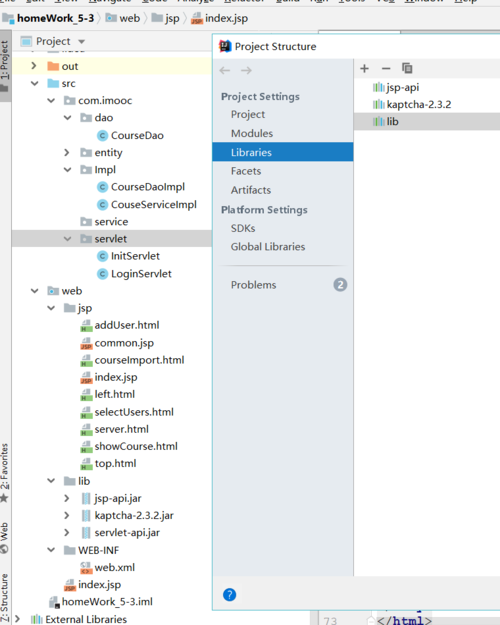
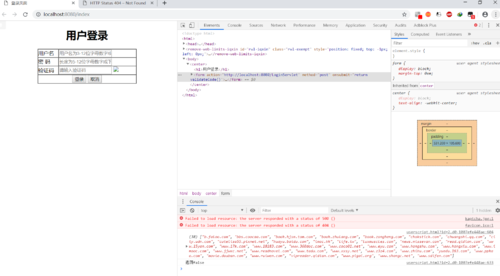
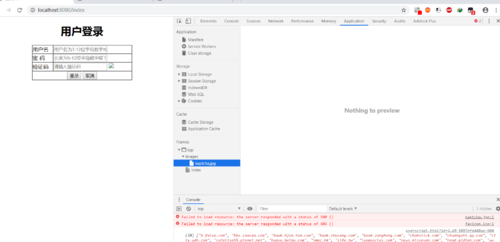
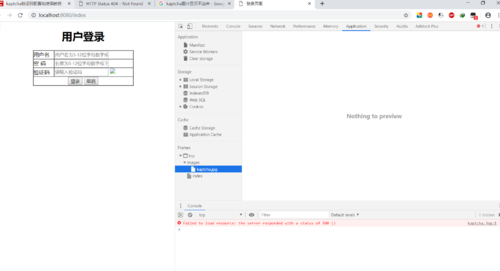
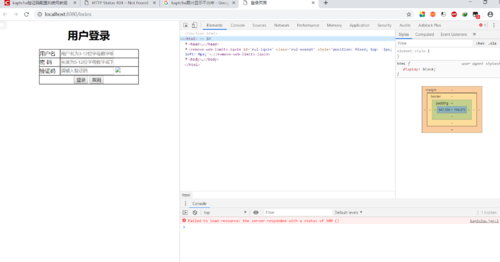
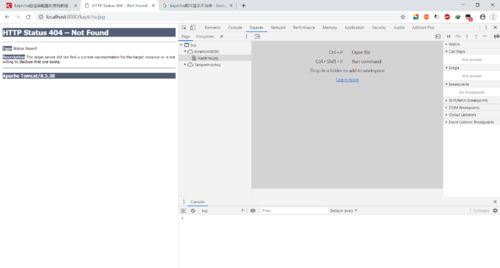
老师请帮我看看,为什么我的验证码图片显示不出来?
2
收起
正在回答
9回答

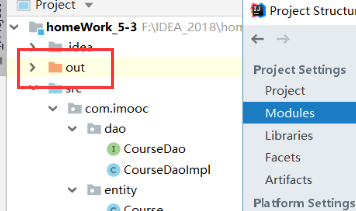
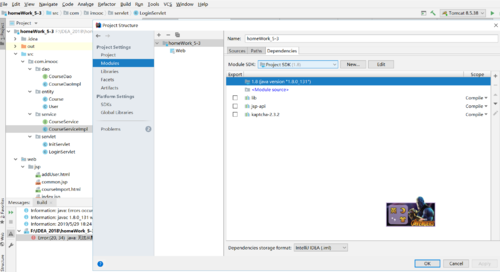
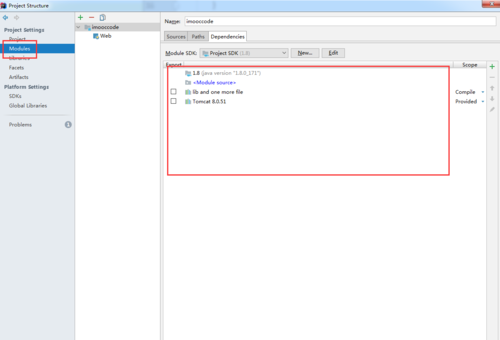
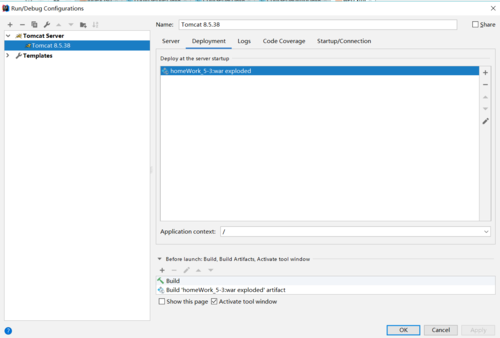
同学你好!同学把lib目录放在web-inf目录下面,重新添加一下jar包呢
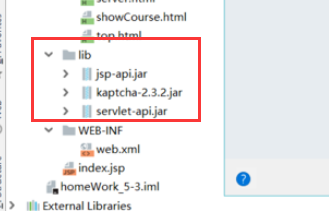
如果我回答解决了你的疑惑,请采纳,祝学习愉快~




相似问题




登录后可查看更多问答,登录/注册
从网页搭建入门Java Web2018版
- 参与学习 人
- 提交作业 1088 份
- 解答问题 10204 个
如果你有Java语言基础,又想以后从事Java Web开发,那么本路径是你的不二选择!本路径从网页搭建开始入手,通过大量案例来学习Java Web基础。定能助你完成Java Web小白的蜕变!
了解课程












恭喜解决一个难题,获得1积分~
来为老师/同学的回答评分吧
0 星