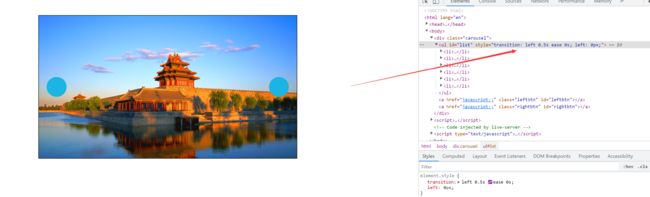
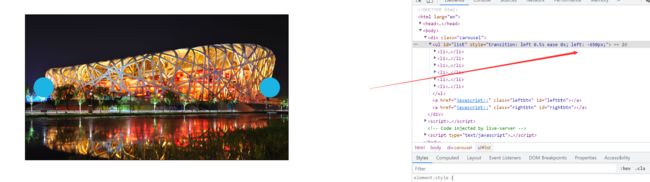
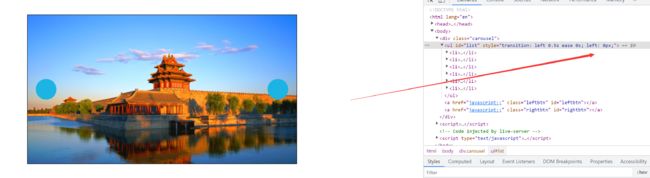
老师能再给我讲讲左按钮吗?这里不是很懂
<!DOCTYPE html>
<html lang="en">

<head>
<meta charset="UTF-8">
<meta name="viewport" content="width=device-width, initial-scale=1.0">
<title>Document</title>
<style>
* {
margin: 0;
padding: 0;
}

.carousel {
width: 650px;
height: 360px;
border: 1px solid #000;
margin: 50px auto;
position: relative;
overflow: hidden;
}

.carousel ul {
list-style: none;
width: 6000px;
position: relative;
left: 0px;
transition: left .5s ease 0s;
}

.carousel ul li {
float: left;
}

.carousel .leftbtn {
position: absolute;
left: 20px;
top: 50%;
margin-top: -25px;
width: 50px;
height: 50px;
background-color: rgb(28, 180, 226);
border-radius: 50%;
}

.carousel .rightbtn {
position: absolute;
right: 20px;
top: 50%;
margin-top: -25px;
width: 50px;
height: 50px;
background-color: rgb(28, 180, 226);
border-radius: 50%;
}
</style>
</head>

<body>
<!-- 轮播图 -->
<div class="carousel">
<ul id="list">
<li><img src="../images/beijing/0.jpg" alt=""></li>
<li><img src="../images/beijing/1.jpg" alt=""></li>
<li><img src="../images/beijing/2.jpg" alt=""></li>
<li><img src="../images/beijing/3.jpg" alt=""></li>
<li><img src="../images/beijing/4.jpg" alt=""></li>
</ul>
<a href="javascript:;" class="leftbtn" id="leftbtn"></a>
<a href="javascript:;" class="rightbtn" id="rightbtn"></a>
</div>
<script>
//得到按钮和ul
var leftbtn = document.getElementById('leftbtn');
var rightbtn = document.getElementById('rightbtn');
var list = document.getElementById('list');

//克隆第一张图片
var cloneli = list.firstElementChild.cloneNode(true);
list.appendChild(cloneli);

//当前ul显示到第几张了,从0开始数
var idx = 0;

//节流锁
var lock = true;

//右边按钮事件监听
rightbtn.onclick = function () {
if (!lock) return;
lock = false;
//因为最后一张图片会把过渡去掉
list.style.transition = 'left .5s ease 0s';
idx++;
if (idx > 4) {
//设置延时器,让动画图片瞬间拉回到0的位置
setTimeout(function () {
list.style.transition = 'none';
list.style.left = 0;
idx = 0;
}, 500);
}
list.style.left = -idx * 650 + 'px';

//函数节流
setTimeout(function () {
lock = true;
}, 500);
}

//左边按钮监听
leftbtn.onclick = function () {
if (!lock) return;
lock = false;
if (idx == 0) {
//取消过渡
list.style.transition = 'none';
list.style.left = -5 * 650 + 'px';
//设置一个延时器
setTimeout(function () {
//加过渡
list.style.transition = 'left .5s ease 0s';
//idx改为真正的最后一张
idx = 4;
list.style.left = -idx * 650 + 'px';
}, 0);
} else {
idx--;
list.style.left = -idx * 650 + 'px';
}
//函数节流
setTimeout(function () {
lock = true;
}, 500);
}
</script>
</body>

</html>13
收起
正在回答 回答被采纳积分+1
1回答

相似问题












登录后可查看更多问答,登录/注册













恭喜解决一个难题,获得1积分~
来为老师/同学的回答评分吧
0 星