老师我完成的对吗?还有什么地方需要优化的吗?
<!DOCTYPE html>
<html>
<head>
<meta charset="UTF-8">
<title></title>
<style type="text/css">
body{margin: 0;padding: 0;width: 1000px;height:350px;
margin:auto auto;
position: absolute;
left: 0;right: 0;top: 0;bottom: 0;}
.one{width: 1000px;height: 250px;background:#4c77f2;overflow: hidden;}
img{display: block;}
.num1 img{float: left;position: relative;top: 17.5px;margin-left:93px;}
.num2 img{float: right;position: relative;top: 18px;margin-right:93px;}
.two{width: 1000px;height: 100px;background:#ed817e;overflow: hidden;}
.num3,.num4{float: left;position: relative;top: 20px;margin-left: 100px;}
.num5{float: right;position: relative;top: 20px;margin-right:100px;}
</style>
</head>
<body>
<div class="one">
<div class="num1" ><img src="http://img1.sycdn.imooc.com/climg//58c0f808000129a303600215.jpg"></div>
<div class="num2" ><img src="http://img1.sycdn.imooc.com/climg//58c0f819000198a703600214.jpg"></div>
</div>
<div class="two">
<div class="num3"><img src="http://img1.sycdn.imooc.com/climg//58c0f81d0001fe4402000060.jpg"></div>
<div class="num4"><img src="http://img1.sycdn.imooc.com/climg//58c0f8220001dfce02000060.jpg"></div>
<div class="num5"><img src="http://img1.sycdn.imooc.com/climg//58c0f8780001c74602000060.jpg"></div>
</div>
</body>
</html>

正在回答

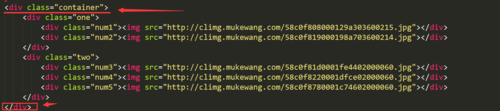
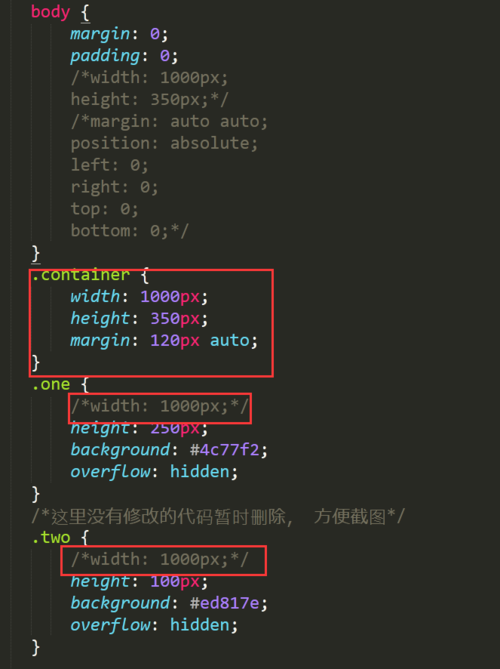
同学你好, container里的height确实是350;老师给出的示例中, 设置120px只是为了让整体内容与页面上方有一定的空白距离。使用margin:120px auto只实现了水平居中,没有考虑垂直居中。 如果要是整体内容垂直居中,同学使用绝对定位的方式实现是对的,可以在container中添加上这段代码, 示例:
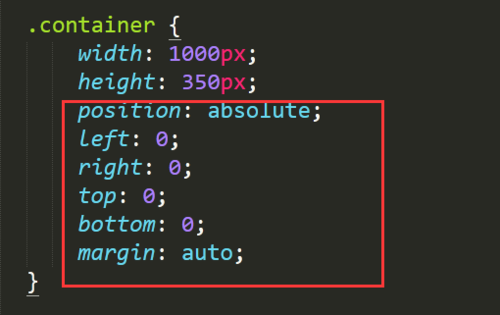
同学很细心, 考虑的也很全面, 这点很棒, 继续加油哦~~
如果帮助到了你, 望采纳
祝学习愉快~~~
相似问题





登录后可查看更多问答,登录/注册











恭喜解决一个难题,获得1积分~
来为老师/同学的回答评分吧
0 星