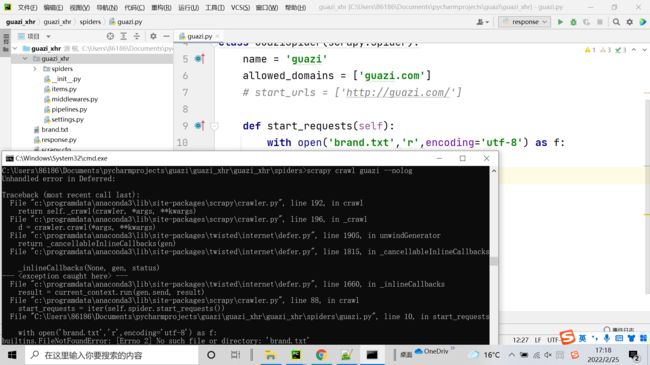
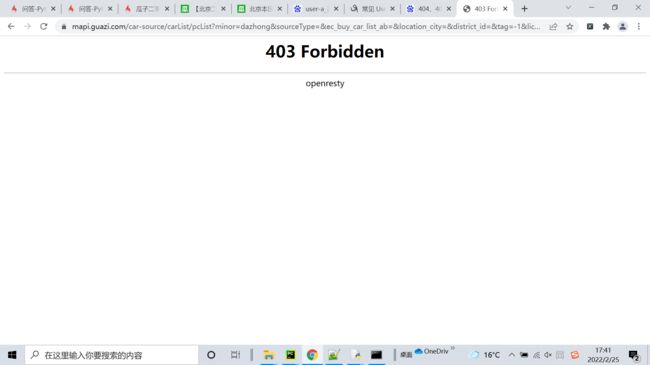
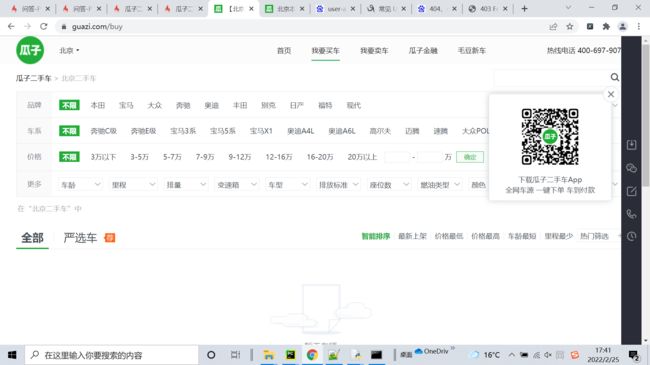
瓜子二手车为什么没输出
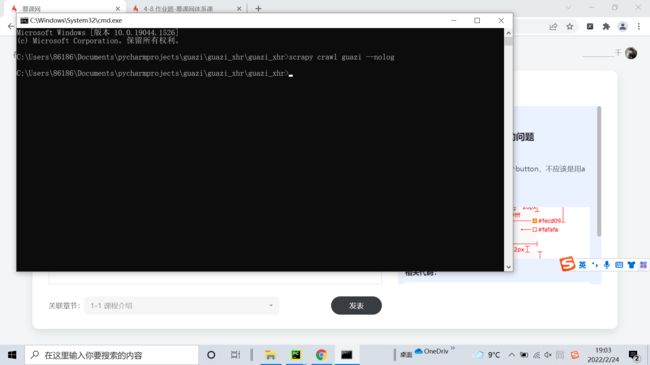
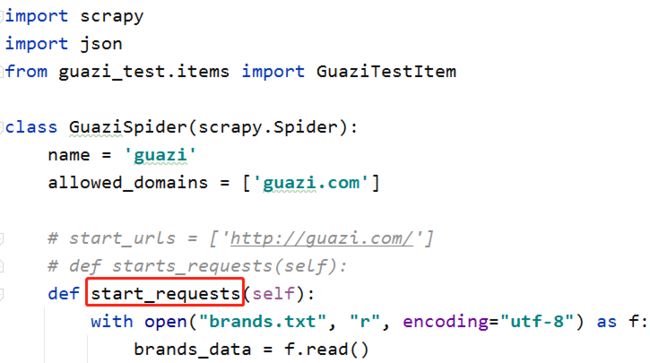
这是spider里面的代码
import scrapy
import json
from guazi_xhr.items import GuaziXhrItem


class GuaziSpider(scrapy.Spider):
    name = 'guazi'
    allowed_domains = ['guazi.com']
    # start_urls = ['http://guazi.com/']

    def starts_requests(self):
        with open("brand.txt", "r", encoding="utf-8") as f:
            brands_data = f.read()
        brands_list = json.loads(brands_data).get('data').get('common')
        for brand in brands_list:
            url = "https://mapi.guazi.com/car-source/carList/pcList?minor={}&sourceType=&ec_buy_car_list_ab=&location_city=&district_id=&tag=-1&license_date=&auto_type=&driving_type=&gearbox=&road_haul=&air_displacement=&emission=&car_color=&guobie=&bright_spot_config=&seat=&fuel_type=&order=7&key_word=&priceRange=0,-1&tag_types=&diff_city=&intention_options=&initialPriceRange=&monthlyPriceRange=&transfer_num=&car_year=&carid_qigangshu=&carid_jinqixingshi=&cheliangjibie=&page=1&pageSize=20&city_filter=13&city=13&guazi_city=13&versionId=0.0.0.0&osv=Unknown&platfromSource=wap".format(brand.get("value"))
            yield scrapy.Request(url=url,callback=self.parse)
            break


    def parse(self, response):
        data = response.json().get('data').get('postList')
        for item in data:
            url = "https://www.guazi.com/Detail?clueId={}".format(item.get("clue_id"))
            yield scrapy.Request(url = url, callback=self.parse_detail, dont_filter=True)

    def parse_detail(self,response):
        info = GuaziXhrItem()
        info['title'] = response.xpath("//h1[@class='titlebox']/text()").extract_first()
        info['price'] = response.xpath("//span[@class='price-num gzfont']/text()").extract_first()
        yield info
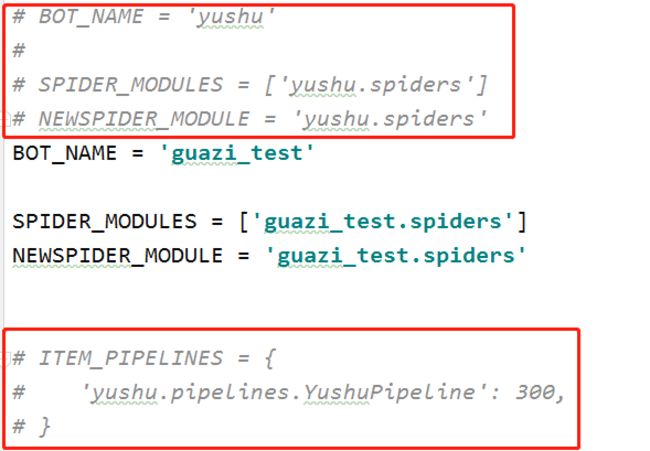
这个是配置文件代码
# Scrapy settings for yushu project
#
# For simplicity, this file contains only settings considered important or
# commonly used. You can find more settings consulting the documentation:
#
#     https://docs.scrapy.org/en/latest/topics/settings.html
#     https://docs.scrapy.org/en/latest/topics/downloader-middleware.html
#     https://docs.scrapy.org/en/latest/topics/spider-middleware.html

BOT_NAME = 'yushu'

SPIDER_MODULES = ['yushu.spiders']
NEWSPIDER_MODULE = 'yushu.spiders'


# Crawl responsibly by identifying yourself (and your website) on the user-agent
USER_AGENT = 'Mozilla/5.0 (Windows NT 10.0; Win64; x64) AppleWebKit/537.36 (KHTML, like Gecko) Chrome/98.0.4758.102 Safari/537.36'

# Obey robots.txt rules
ROBOTSTXT_OBEY = False

# Configure maximum concurrent requests performed by Scrapy (default: 16)
#CONCURRENT_REQUESTS = 32

# Configure a delay for requests for the same website (default: 0)
# See https://docs.scrapy.org/en/latest/topics/settings.html#download-delay
# See also autothrottle settings and docs
#DOWNLOAD_DELAY = 3
# The download delay setting will honor only one of:
#CONCURRENT_REQUESTS_PER_DOMAIN = 16
#CONCURRENT_REQUESTS_PER_IP = 16

# Disable cookies (enabled by default)
#COOKIES_ENABLED = False

# Disable Telnet Console (enabled by default)
#TELNETCONSOLE_ENABLED = False

# Override the default request headers:
#DEFAULT_REQUEST_HEADERS = {
#   'Accept': 'text/html,application/xhtml+xml,application/xml;q=0.9,*/*;q=0.8',
#   'Accept-Language': 'en',
#}

# Enable or disable spider middlewares
# See https://docs.scrapy.org/en/latest/topics/spider-middleware.html
#SPIDER_MIDDLEWARES = {
#    'yushu.middlewares.YushuSpiderMiddleware': 543,
#}

# Enable or disable downloader middlewares
# See https://docs.scrapy.org/en/latest/topics/downloader-middleware.html
#DOWNLOADER_MIDDLEWARES = {
#    'yushu.middlewares.YushuDownloaderMiddleware': 543,
#}

# Enable or disable extensions
# See https://docs.scrapy.org/en/latest/topics/extensions.html
#EXTENSIONS = {
#    'scrapy.extensions.telnet.TelnetConsole': None,
#}

# Configure item pipelines
# See https://docs.scrapy.org/en/latest/topics/item-pipeline.html
ITEM_PIPELINES = {
   'yushu.pipelines.YushuPipeline': 300,
}

# Enable and configure the AutoThrottle extension (disabled by default)
# See https://docs.scrapy.org/en/latest/topics/autothrottle.html
#AUTOTHROTTLE_ENABLED = True
# The initial download delay
#AUTOTHROTTLE_START_DELAY = 5
# The maximum download delay to be set in case of high latencies
#AUTOTHROTTLE_MAX_DELAY = 60
# The average number of requests Scrapy should be sending in parallel to
# each remote server
#AUTOTHROTTLE_TARGET_CONCURRENCY = 1.0
# Enable showing throttling stats for every response received:
#AUTOTHROTTLE_DEBUG = False

# Enable and configure HTTP caching (disabled by default)
# See https://docs.scrapy.org/en/latest/topics/downloader-middleware.html#httpcache-middleware-settings
#HTTPCACHE_ENABLED = True
#HTTPCACHE_EXPIRATION_SECS = 0
#HTTPCACHE_DIR = 'httpcache'
#HTTPCACHE_IGNORE_HTTP_CODES = []
#HTTPCACHE_STORAGE = 'scrapy.extensions.httpcache.FilesystemCacheStorage'
这个是中间件代码
# Define here the models for your spider middleware
#
# See documentation in:
# https://docs.scrapy.org/en/latest/topics/spider-middleware.html

from scrapy import signals

# useful for handling different item types with a single interface
from itemadapter import is_item, ItemAdapter


class GuaziXhrSpiderMiddleware:
    # Not all methods need to be defined. If a method is not defined,
    # scrapy acts as if the spider middleware does not modify the
    # passed objects.

    @classmethod
    def from_crawler(cls, crawler):
        # This method is used by Scrapy to create your spiders.
        s = cls()
        crawler.signals.connect(s.spider_opened, signal=signals.spider_opened)
        return s

    def process_spider_input(self, response, spider):
        # Called for each response that goes through the spider
        # middleware and into the spider.

        # Should return None or raise an exception.
        return None

    def process_spider_output(self, response, result, spider):
        # Called with the results returned from the Spider, after
        # it has processed the response.

        # Must return an iterable of Request, or item objects.
        for i in result:
            yield i

    def process_spider_exception(self, response, exception, spider):
        # Called when a spider or process_spider_input() method
        # (from other spider middleware) raises an exception.

        # Should return either None or an iterable of Request or item objects.
        pass

    def process_start_requests(self, start_requests, spider):
        # Called with the start requests of the spider, and works
        # similarly to the process_spider_output() method, except
        # that it doesn’t have a response associated.

        # Must return only requests (not items).
        for r in start_requests:
            yield r

    def spider_opened(self, spider):
        spider.logger.info('Spider opened: %s' % spider.name)


class GuaziXhrDownloaderMiddleware:
    # Not all methods need to be defined. If a method is not defined,
    # scrapy acts as if the downloader middleware does not modify the
    # passed objects.

    @classmethod
    def from_crawler(cls, crawler):
        # This method is used by Scrapy to create your spiders.
        s = cls()
        crawler.signals.connect(s.spider_opened, signal=signals.spider_opened)
        return s

    def process_request(self, request, spider):
        # Called for each request that goes through the downloader
        # middleware.

        # Must either:
        # - return None: continue processing this request
        # - or return a Response object
        # - or return a Request object
        # - or raise IgnoreRequest: process_exception() methods of
        #   installed downloader middleware will be called
        return None

    def process_response(self, request, response, spider):
        # Called with the response returned from the downloader.

        # Must either;
        # - return a Response object
        # - return a Request object
        # - or raise IgnoreRequest
        return response

    def process_exception(self, request, exception, spider):
        # Called when a download handler or a process_request()
        # (from other downloader middleware) raises an exception.

        # Must either:
        # - return None: continue processing this exception
        # - return a Response object: stops process_exception() chain
        # - return a Request object: stops process_exception() chain
        pass

    def spider_opened(self, spider):
        spider.logger.info('Spider opened: %s' % spider.name)


class HandleDetail(object):
    """用户破解详情页的中间件"""

    # 直接携带cookie访问目标信息,而不是通过返回的js代码计算cookie
    def process_request(self, request, spider):
        # 如果说请求的URL里面有www.guazi.com/Detail并且request.cookie没有值的
        if "www.guazi.com/Detail" in request.url and not request.cookies:
            cookie_value = {"uuid": "badf427f-0079-443c-baad-37ec3cfe9553"}
            request.cookies = cookie_value
            # 重新发送请求,入队列
            return request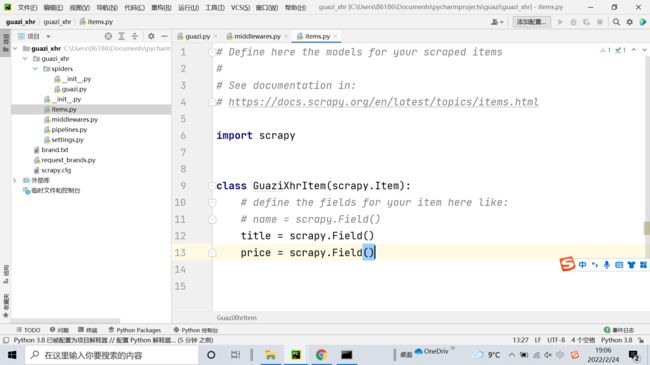
9
收起
正在回答 回答被采纳积分+1
1回答

相似问题
在另外一台电脑上运行瓜子二手车程序出错
10
0
3

怎么判断是否输入回车键
15
0
6

老师,请帮我看一下,就是加入购物车后就出错了
0
0
10


第二个输出没换行。
9
0
3

为什么输出结果如下
0
0
3


登录后可查看更多问答,登录/注册
Python全能工程师
- 参与学习 人
- 提交作业 16436 份
- 解答问题 4469 个
全新版本覆盖5大热门就业方向:Web全栈、爬虫、数据分析、软件测试、人工智能,零基础进击Python全能型工程师,从大厂挑人到我挑大厂,诱人薪资在前方!
了解课程













恭喜解决一个难题,获得1积分~
来为老师/同学的回答评分吧
0 星